

How to Customize WPUF User Login
WP User Frontend automatically creates important pages when you install it for the first time. If you want to manually create a login page, you can follow the tutorial below:
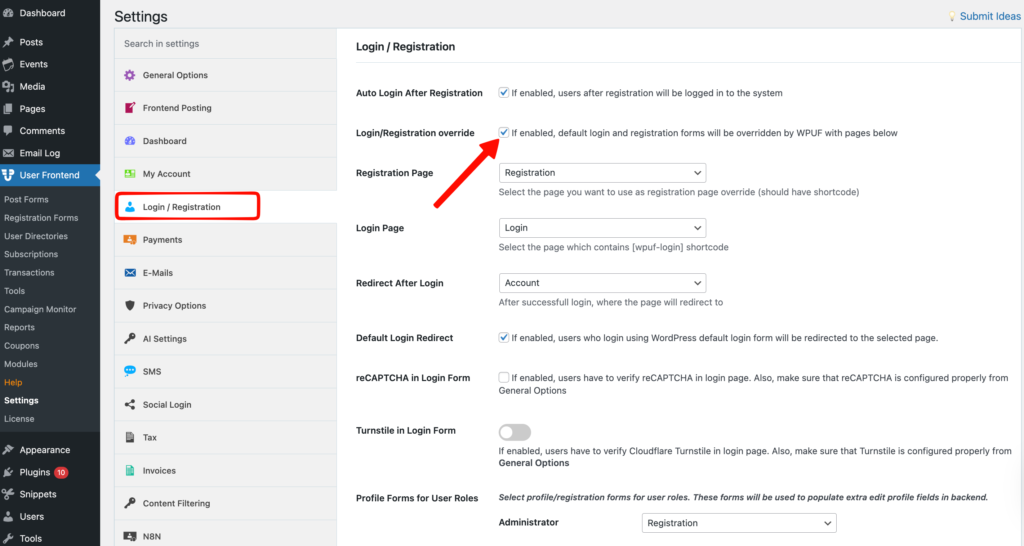
Navigate to – WP Admin Dashboard → User Frontend → Settings → Login/Registration
In this page, you will find several useful settings related to WPUF login. You can override default registration and login forms with the WPUF login & registration feature if you want. To do this, check the Login/Registration override option.
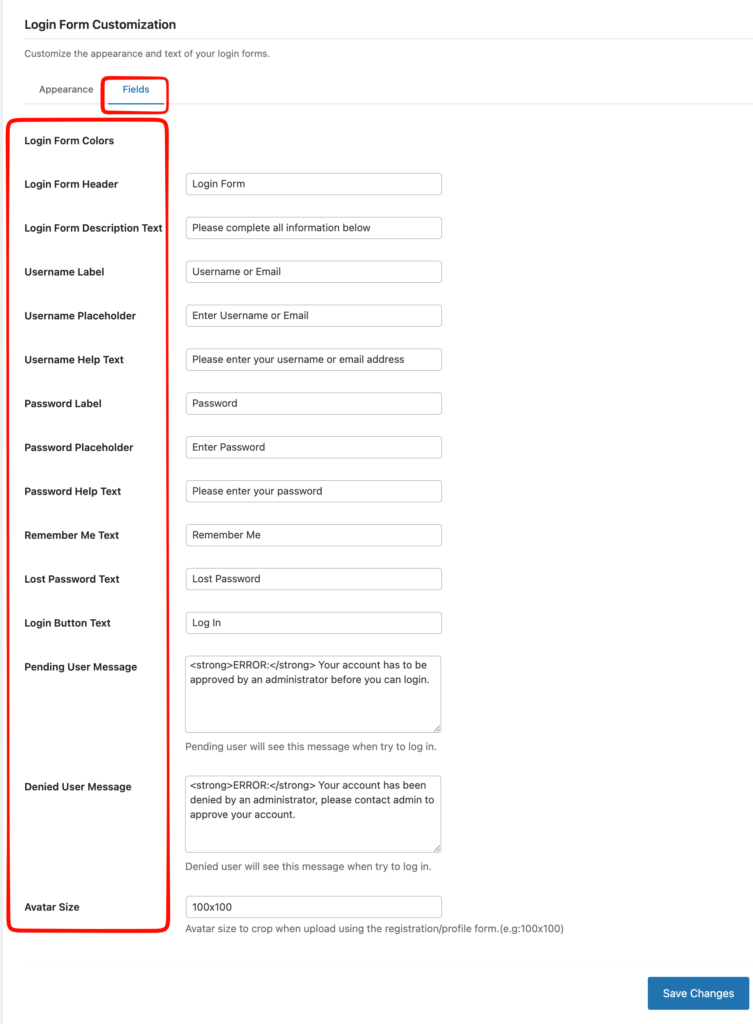
Now you can also customize the text and appearance of your login forms
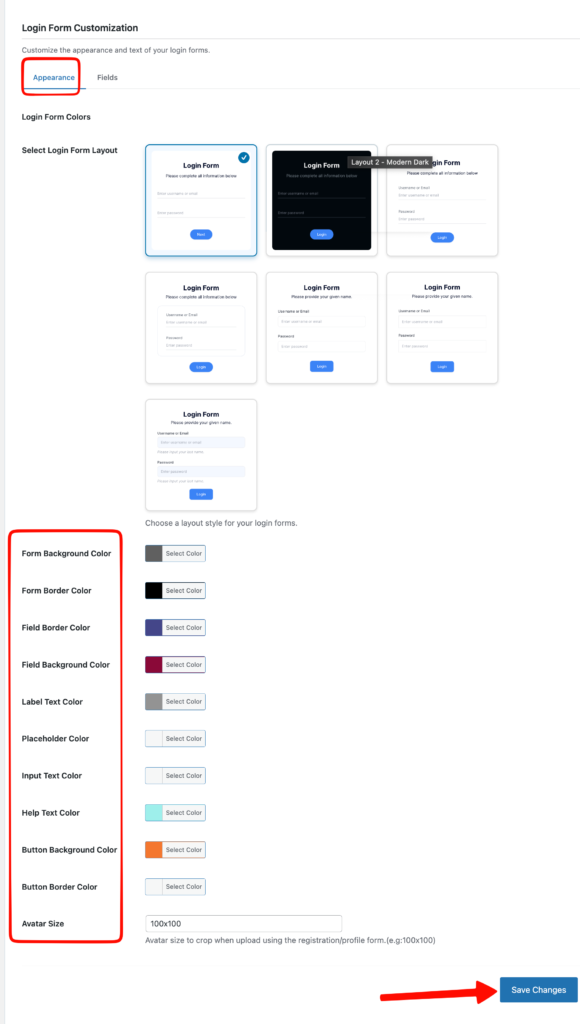
Then,
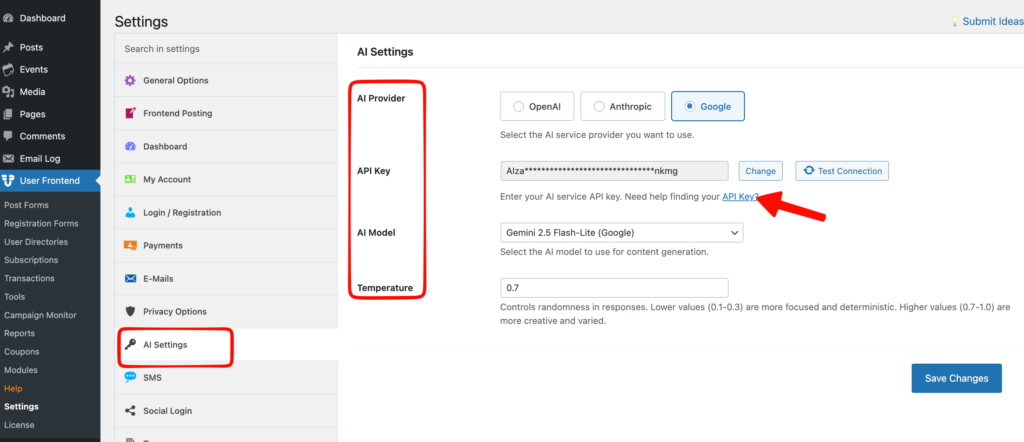
You can also specify the login page. WPUF automatically adds the default login page that it has created. If you manually create one, use the following shortcode – [wpuf-login]
Simply, create a new page and put the above shortcode. Finally, publish the page and add it to the Login Page option in the settings.
That's it. Cheers!