

Using Icons in Fields
You can display an icon beside any form field to improve clarity and visual guidance. The icon settings are available inside each field’s Field Options panel.
1. Enable the Icon
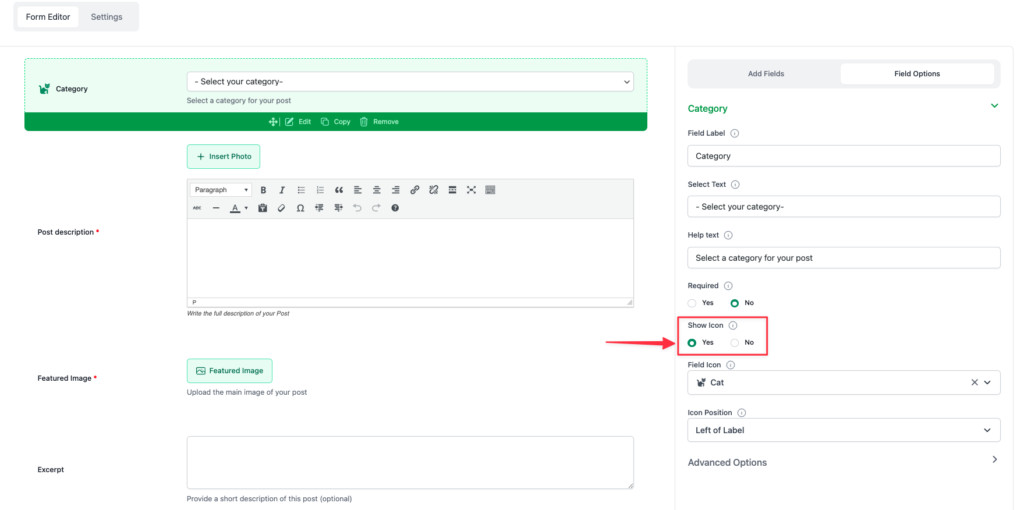
Section titled “1. Enable the Icon”Open the field you want to modify and scroll to the Show Icon option.
Select Yes to activate icon settings for that field.
2. Select an Icon
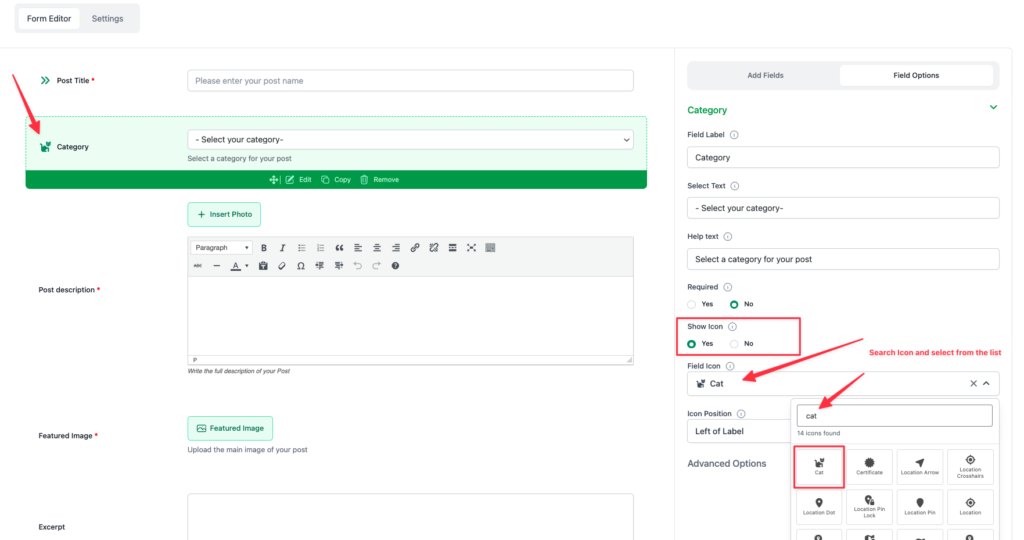
Section titled “2. Select an Icon”Once enabled, a Field Icon selector appears.
Use the search box to find an icon (e.g., typing “cat”), then select an icon from the list.
3. Choose the Icon Position
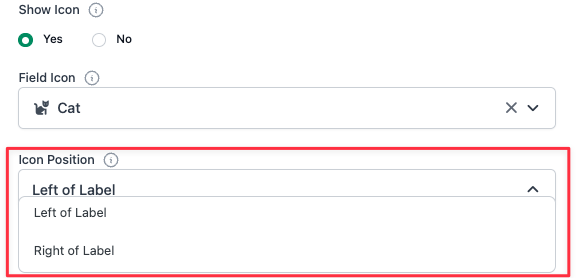
Section titled “3. Choose the Icon Position”Control where the icon appears using the Icon Position dropdown. You can place the icon:
- Left of Label
- Right of Label
Result in the Form
Section titled “Result in the Form”After saving, the chosen icon will appear beside the field label in the form preview, helping users easily identify the field.

That's it. Cheers!