

How to Limit Post-Form Entries
With WP User Frontend, you can set limits on user post submissions and receive notifications when the limit is reached.
Here's how you can do that in this guide.
Navigation
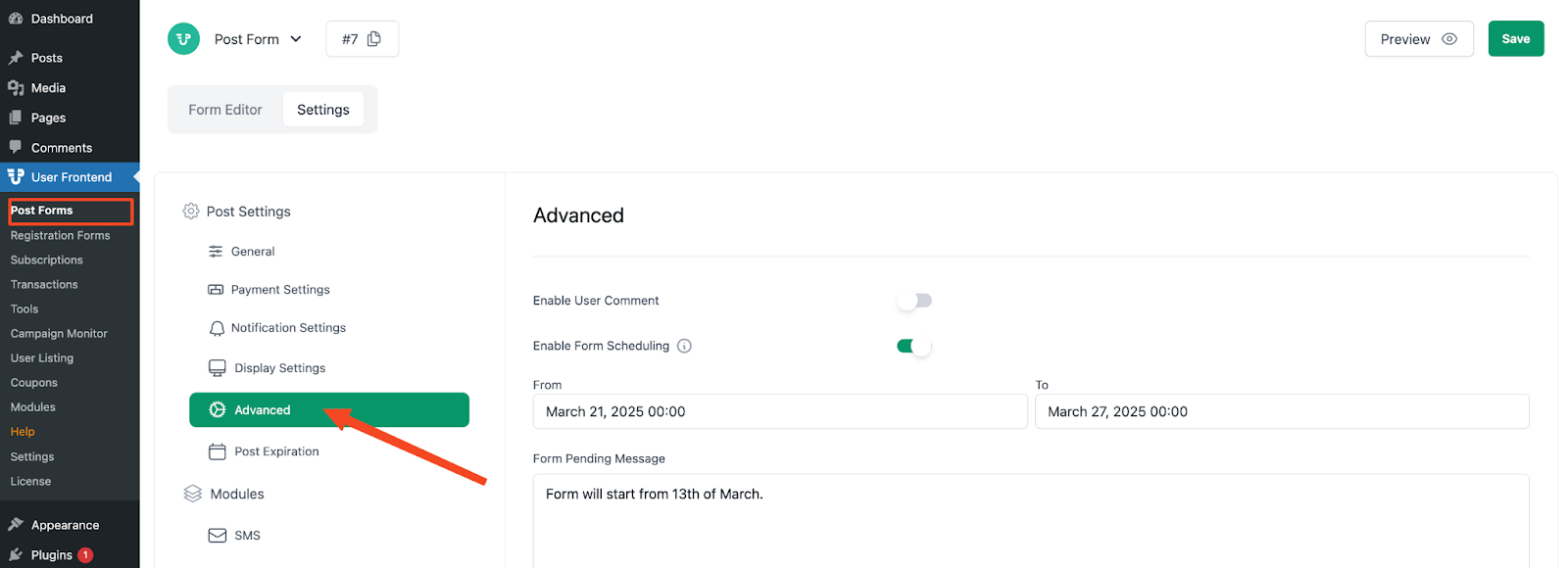
Section titled “Navigation”Go to wp-admin > User Frontend > Post Forms > edit/create a form > Settings > Submission Restriction.
Configuration
Section titled “Configuration”Activate the Limit Entries checkbox. You will now get two new fields:
- Number of Entries: Enter the submission entry limit you want in this numeric field.
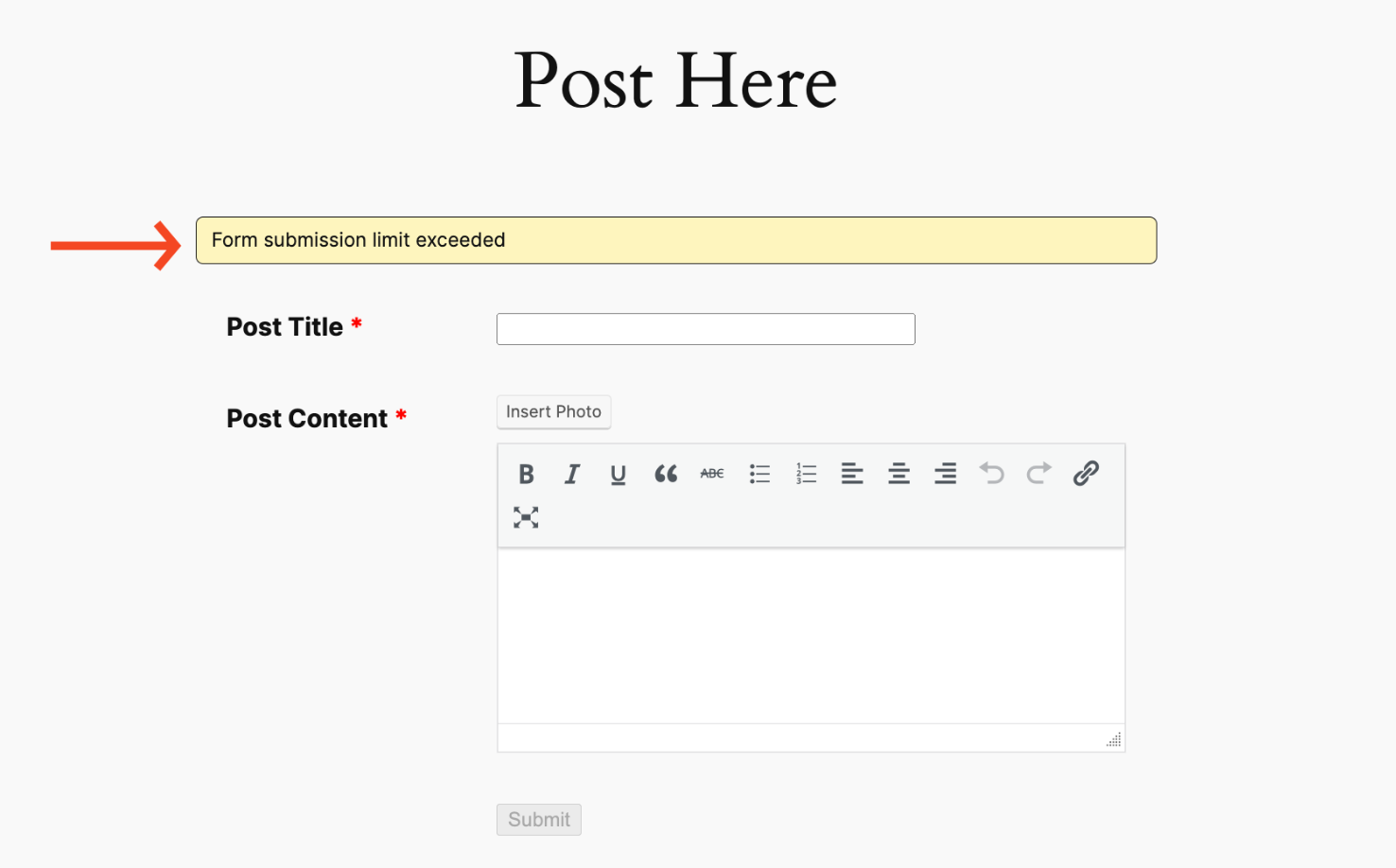
- Limit Reached Message: A default message your users will see when the form loads have been given with every post form. You can change this message. Users will be prevented from submitting a new entry when this message appears.
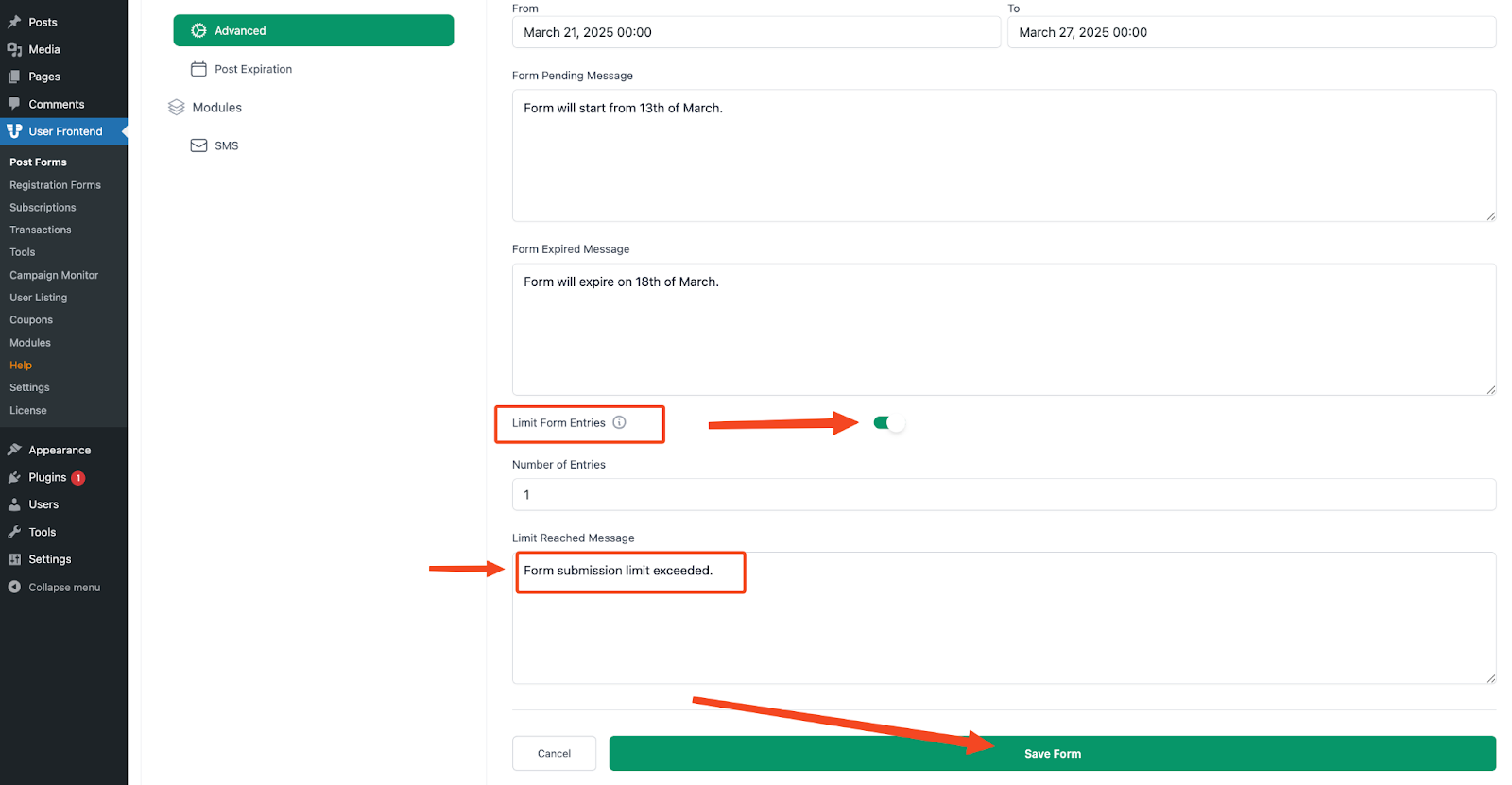
When you are done configuring, click on Save.
So, after reading the submission limit, users will see the Limit Reached Message.
Note: This is not for any specific user. It is a global setting.