

How to Set Up Custom Login Page
Just like custom registration page, WP User Frontend allows you to create a custom login page. Setting up custom login page with WPUF is easy. There are few necessary steps for that. Please follow the steps below:
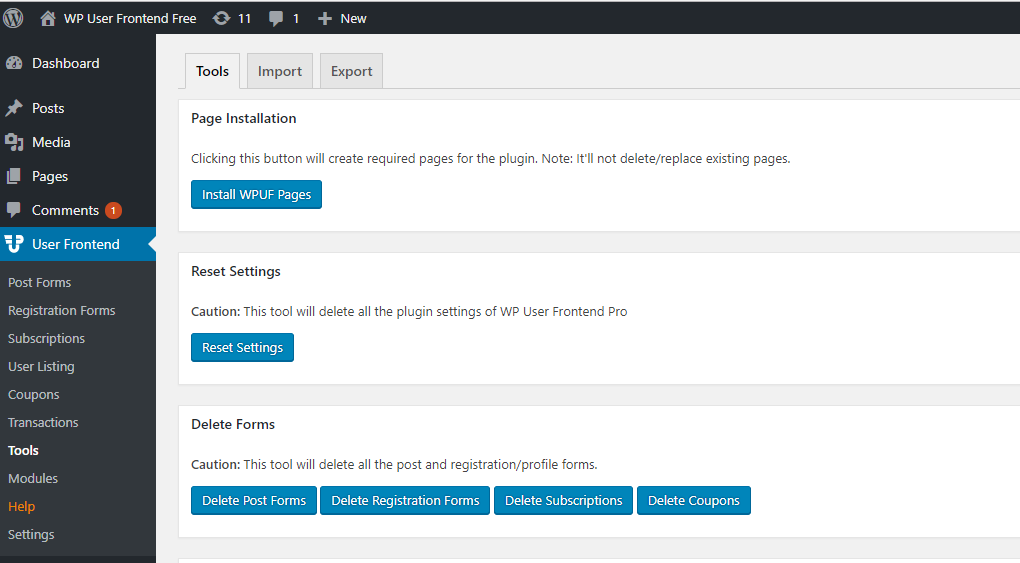
- WPUF comes with a list of pages. You will find them by navigating to WPUF > Tools. From there, you can install the pages. Here is the screenshot:
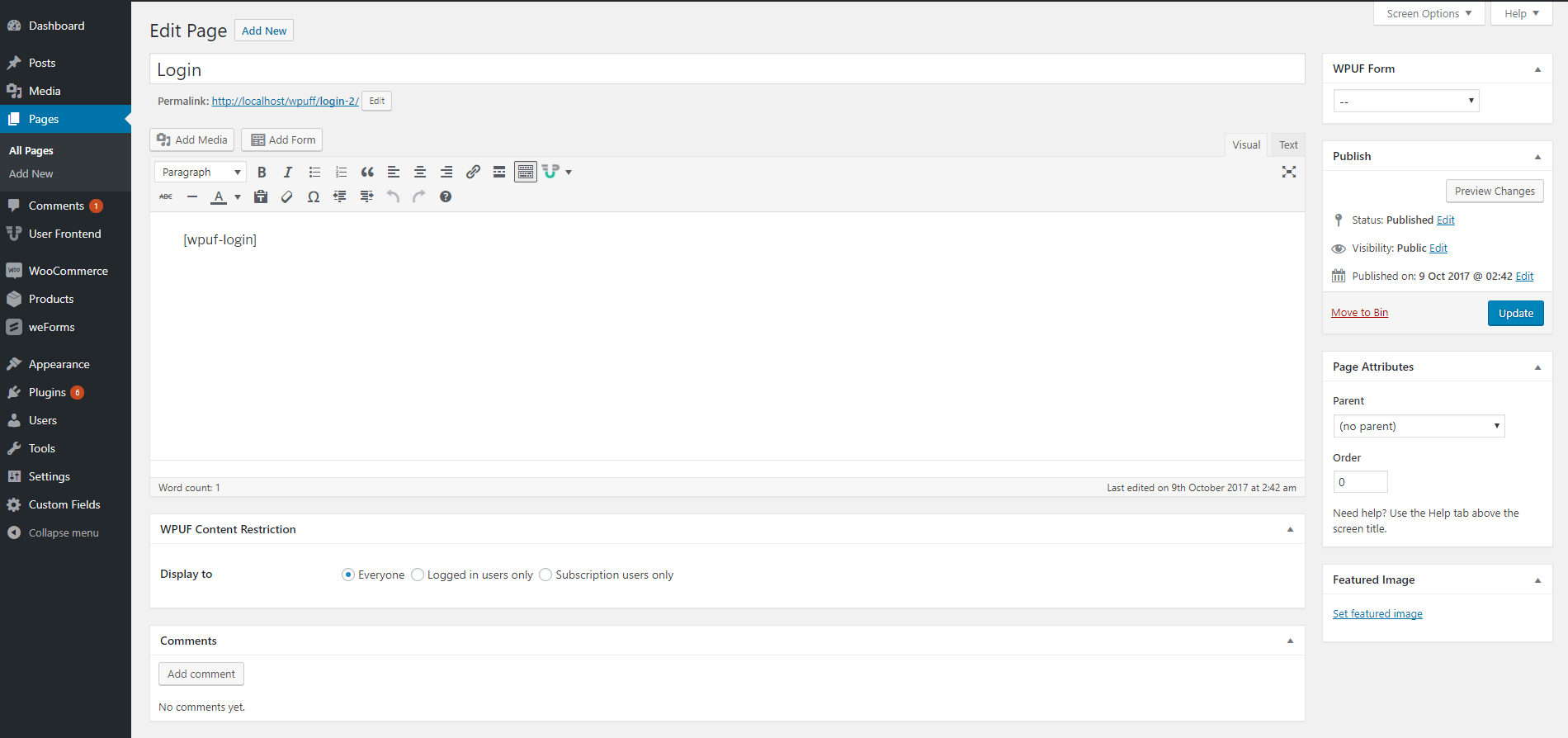
- Among the installed pages, you will find a page called the login page. You will find them by navigating to WP admin > Pages.

- If you edit this page, you will find it holds a shortcode, which is [wpuf_login]. This shortcode enables this page to create a custom login page.
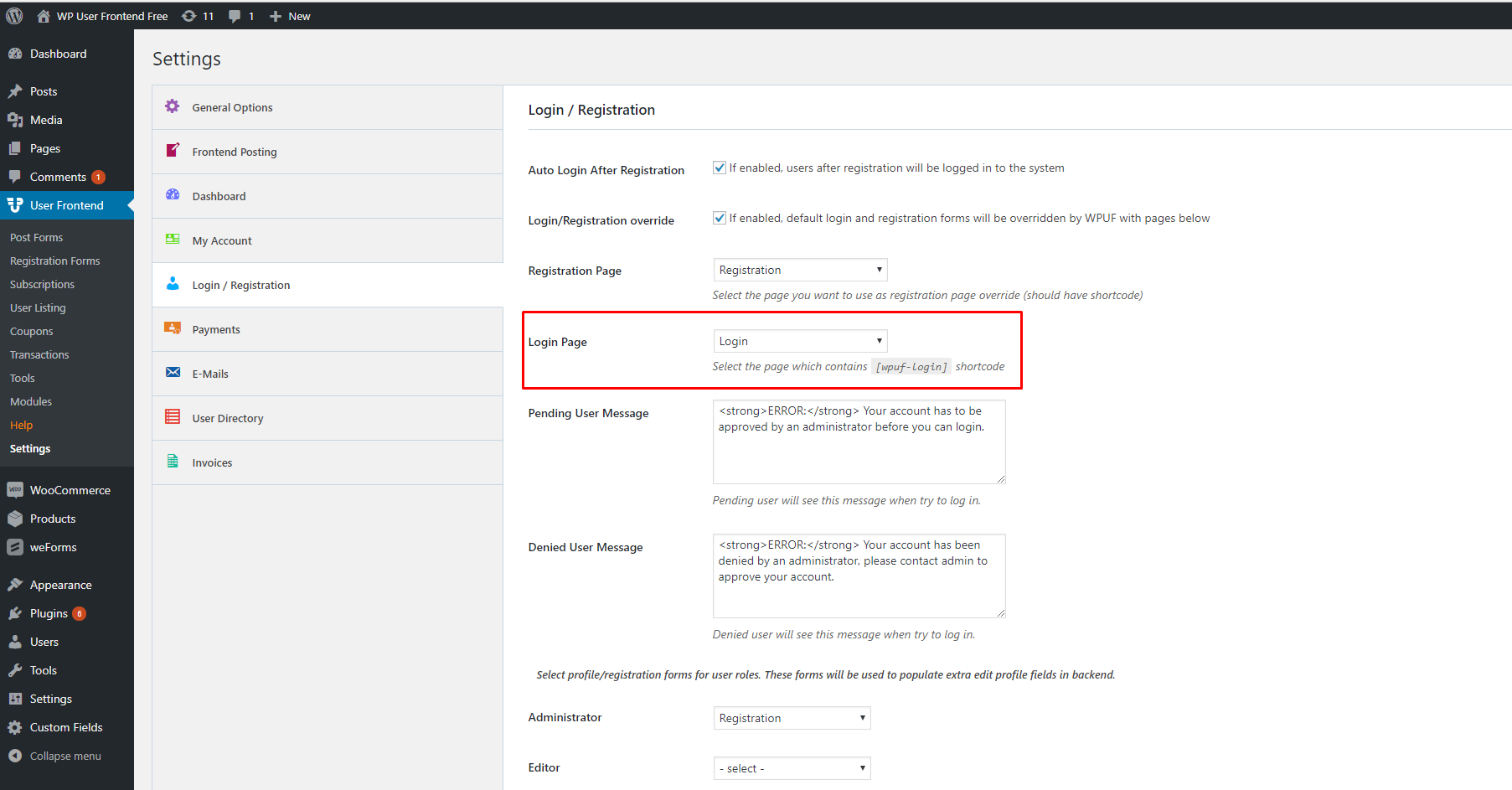
- Next, you need to set that page by navigating to WPUF > Settings > Login/Registration. Here you will find a drop-down list for your custom login page, which you have to select.
That's all for your custom login page.