

How to Add Microsoft Advertising (Bing Ads) UET Tag ID
To get Bing Ads UET Tag ID for WooCommerce Conversion Tracking ,you need to create that Tag ID from your Bing Ads account.
How To Add Microsoft Advertising (Bing Ads) UET Tag ID In Your Site
Section titled “How To Add Microsoft Advertising (Bing Ads) UET Tag ID In Your Site”To add UET tag in your site,at first, you need to go bing ads account and then follow these steps-
Navigate to Tools–> Conversion tracking → UET Tags
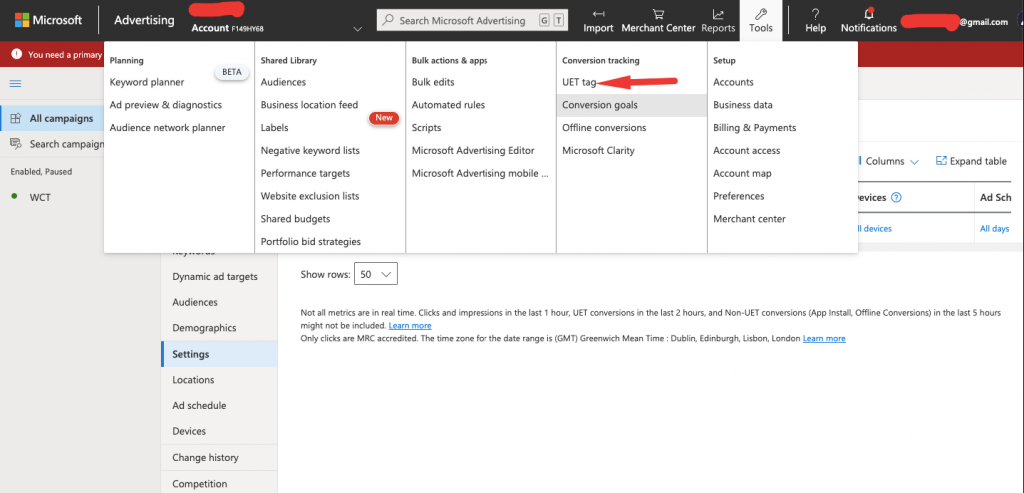
WCT- Adding UET tag
Click ”Create UET Tag”.
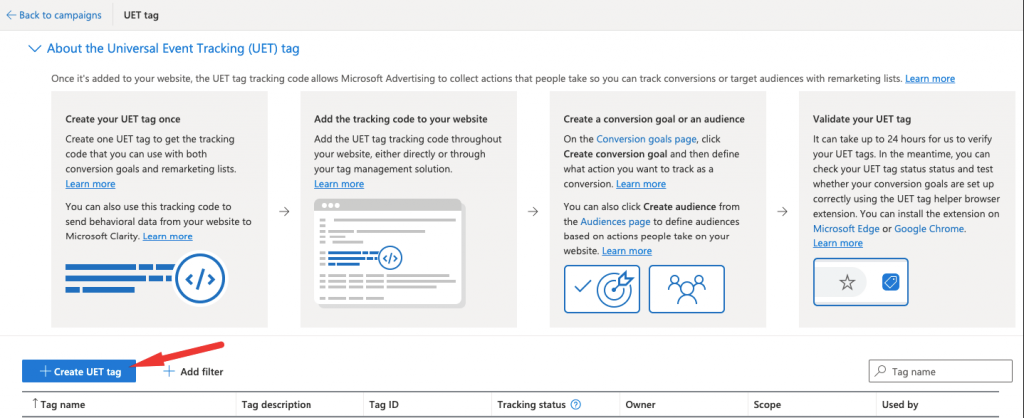
Now you need to give UET tag name and description and save this information.
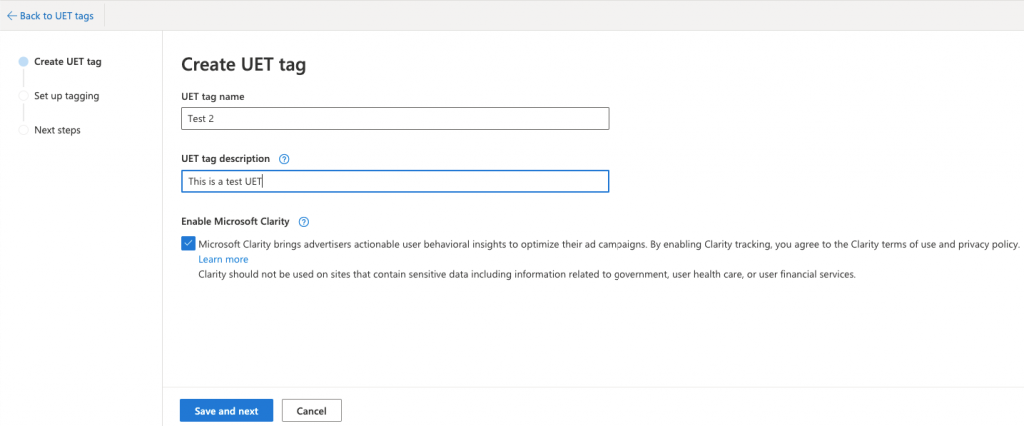
WCT- Create UET tag
If you don't use WooCommerce Conversion Tracking you need to copy Javascript code into every page of your site.
If you use WooCommerce Conversion Tracking, you just need the ID and copy that for using in WCT.

WCT- Copy ID
To use this ID, you will go to dashboard of your site.Now go to WooCommerce Conversion settings to activate bing ads tracking.
Go to WooCommerce → Conversion Tracking → Activate Bing Ads
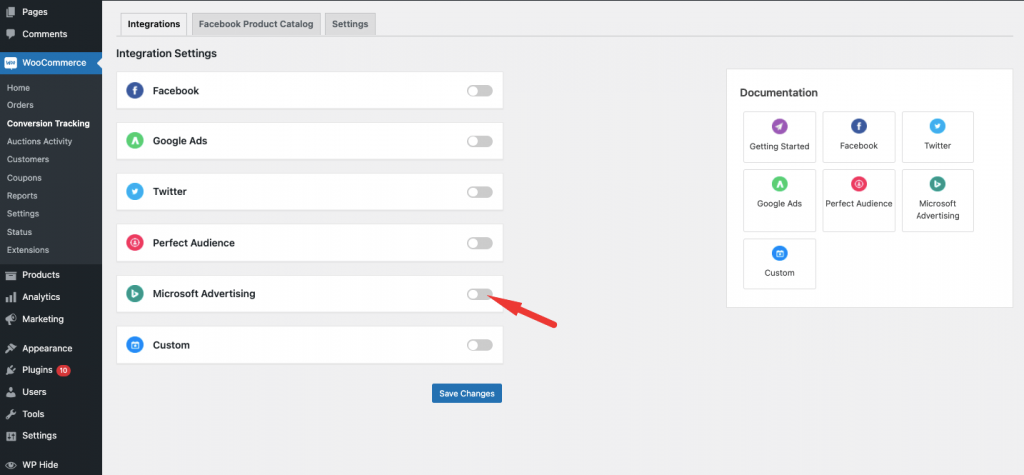
WCT- Activate Bing Ads Integration
Now, Paste your Bing Ads UET Tag ID in ”UET Tag ID” box and save the change. Your(Microsoft Advertising ) Bing Adsconversion tracking will be activated.
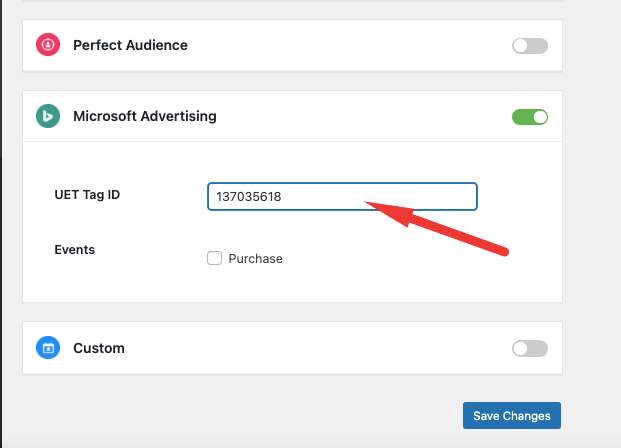
WCT – Paste your ID