User Activity
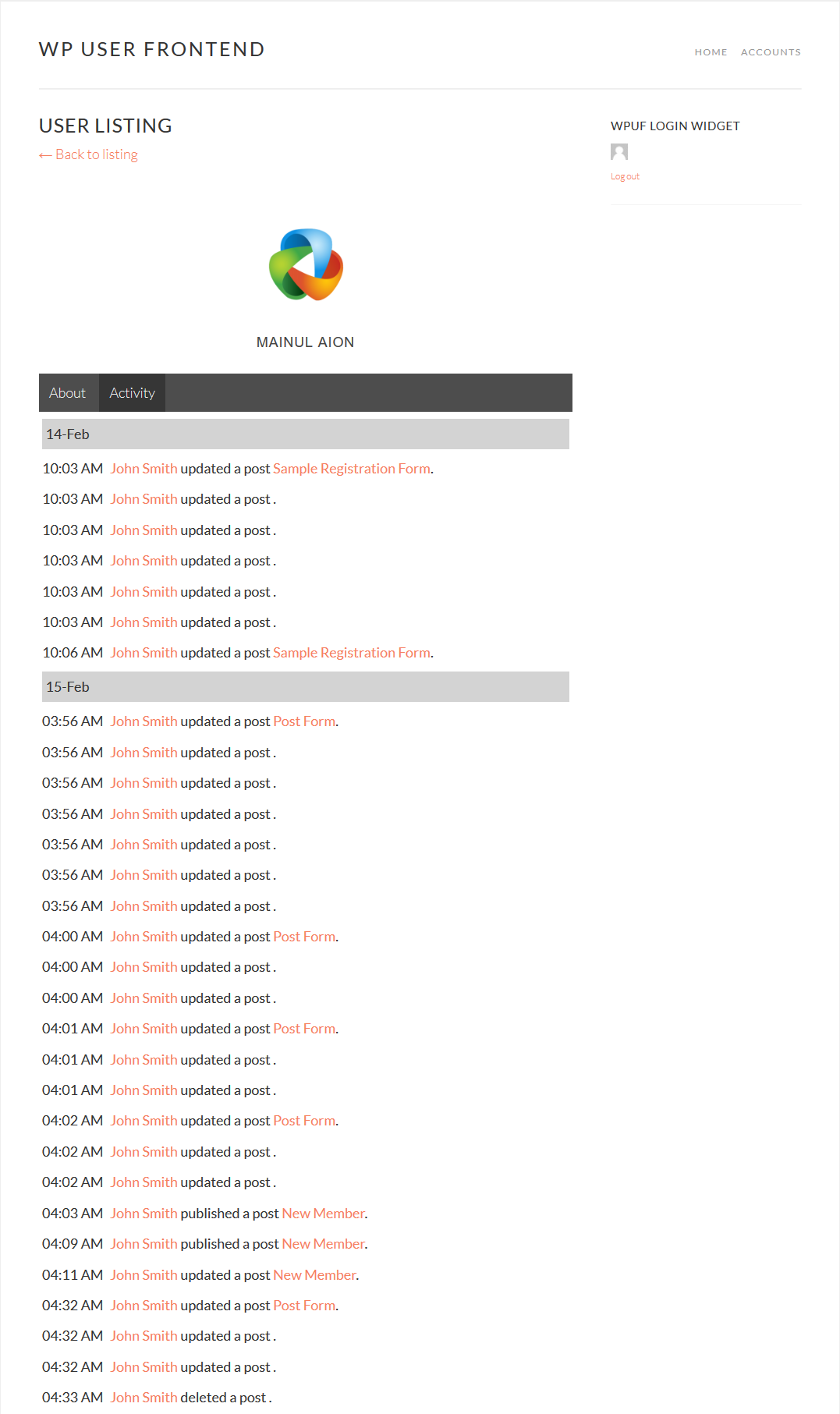
This Pro module allows admins to view registered user activity from the front end. The module adds a new tab to the user's profile. When a user creates or edits a post, this update appears under the Activity tab.
User activity is available in WPUF Business Plans.
This guide shows how to install and use WPUF-User Activity module.
Navigation
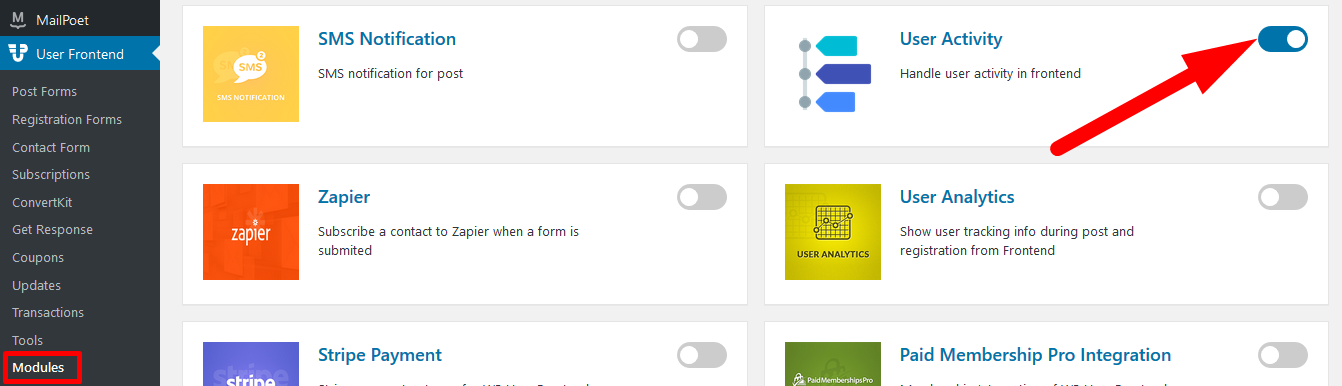
Section titled “Navigation”To find this feature, simply navigate to wp-admin→User Frontend→Modules. From Modules, turn on the toggle button for User Activity.
Configuration
Section titled “Configuration”Note: To use the User Activity module, you need to first activate the User Directory module.
Frontend View
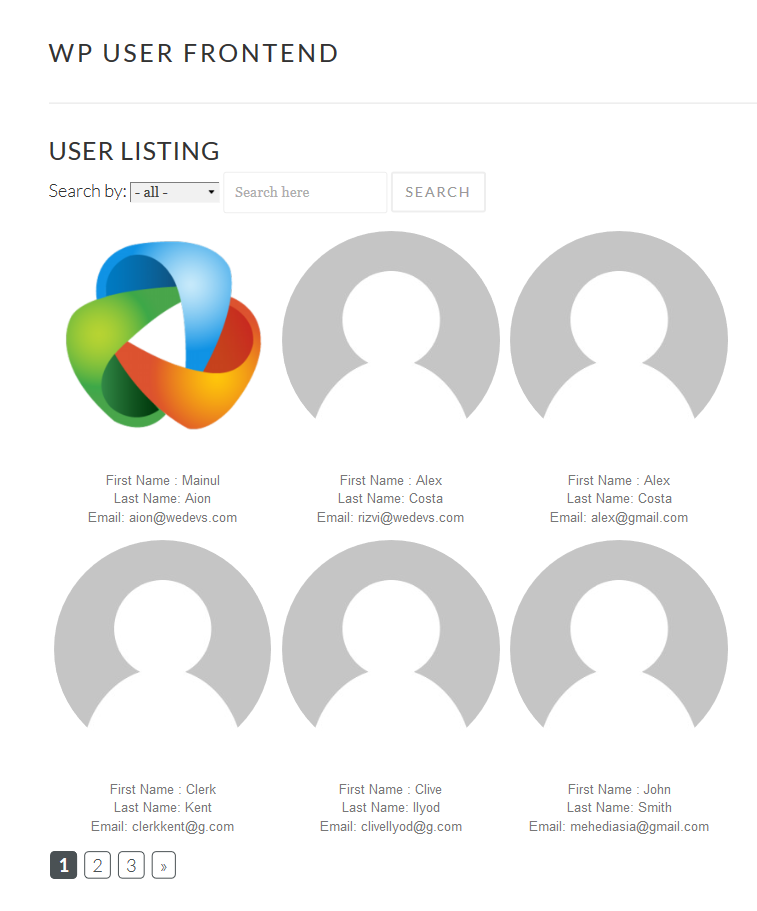
Section titled “Frontend View”Registered users will be able to view user listings from your site.
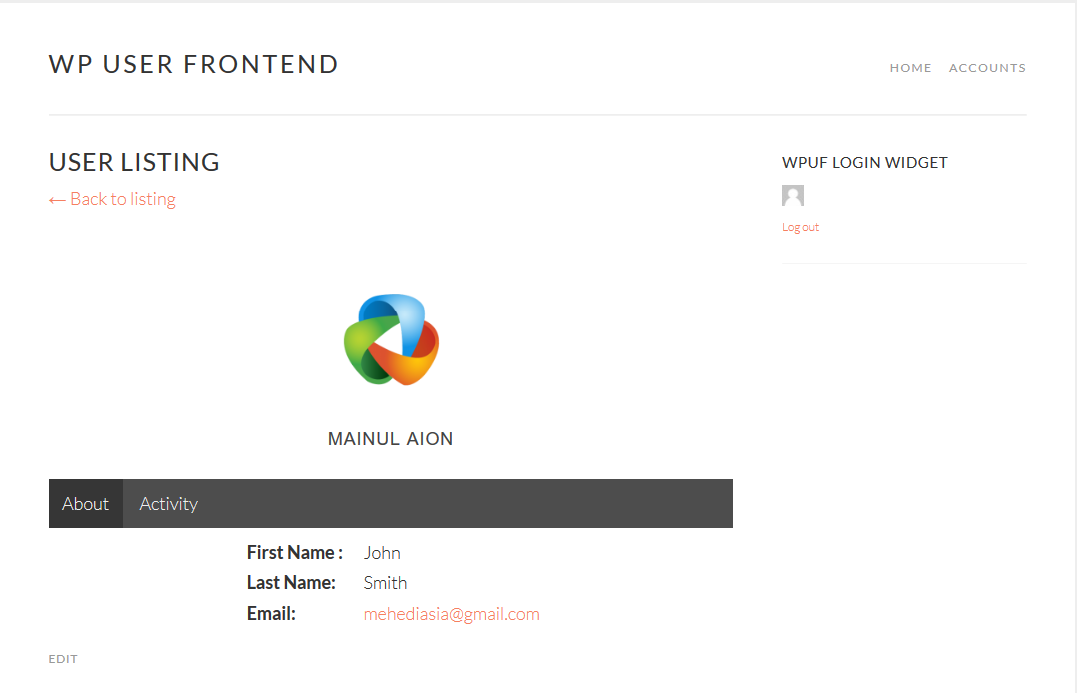
Now when a user visits a registered user's profile, they will get 2 tabs, About and Activity.
Under Activity you will be able to see the chronological list of events that have been performed by the user.
Mainly, you will be able to see:
- when a user published a post
- when the user edited it
- the name of that post
- the date when the activity took place
This is how it will look from the frontend: