

How to Customize Button Labels for “Image Upload” and “Featured Image” fields
Customizing the button labels for the “Image Upload” and “Featured Image” fields is the same, so here we are only showing the customization process for the “Image Upload” field.
Changing the Button Label of “Image Upload”
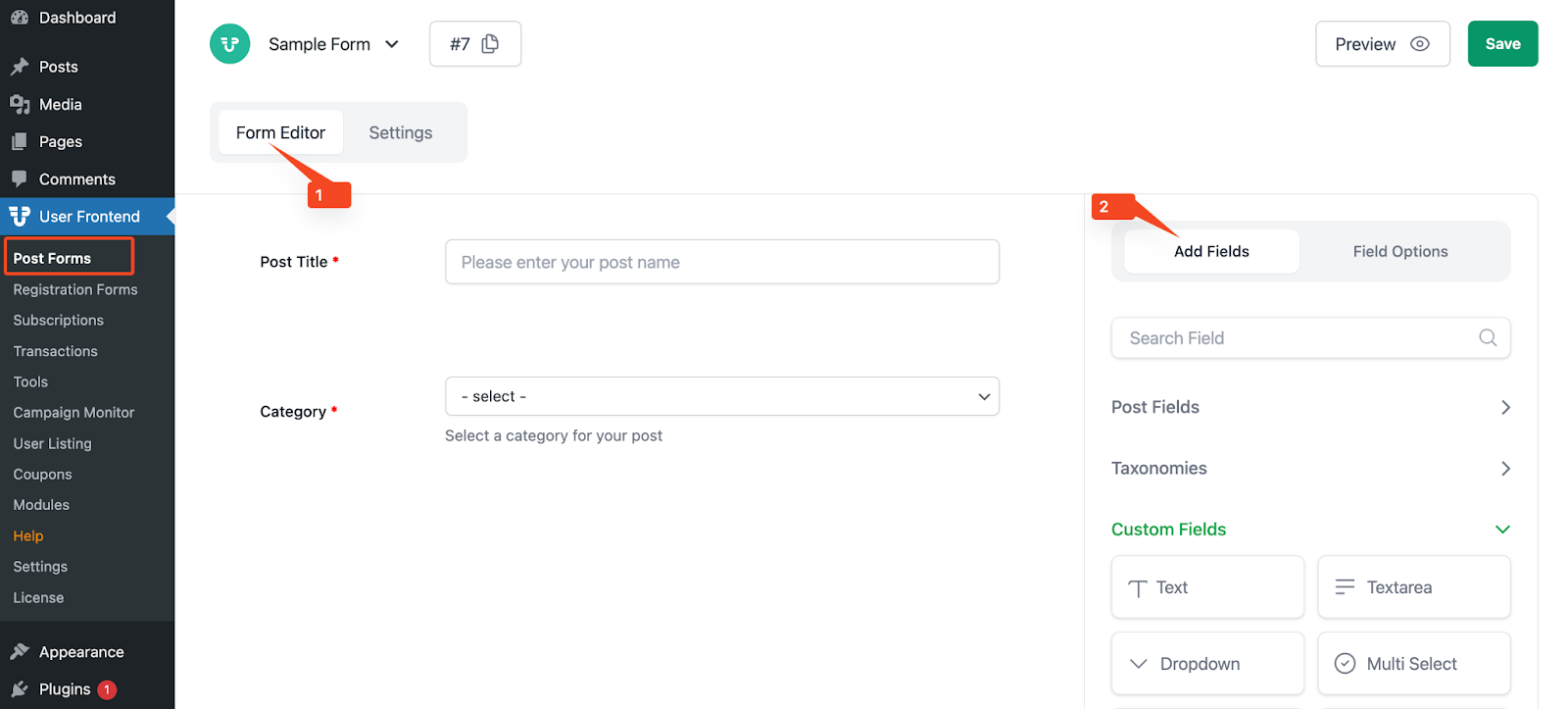
Section titled “Changing the Button Label of “Image Upload””To customize the button labels navigate to User Frontend > Post Forms > Edit any form > Form Editor > Add Fields tab, as shown below:
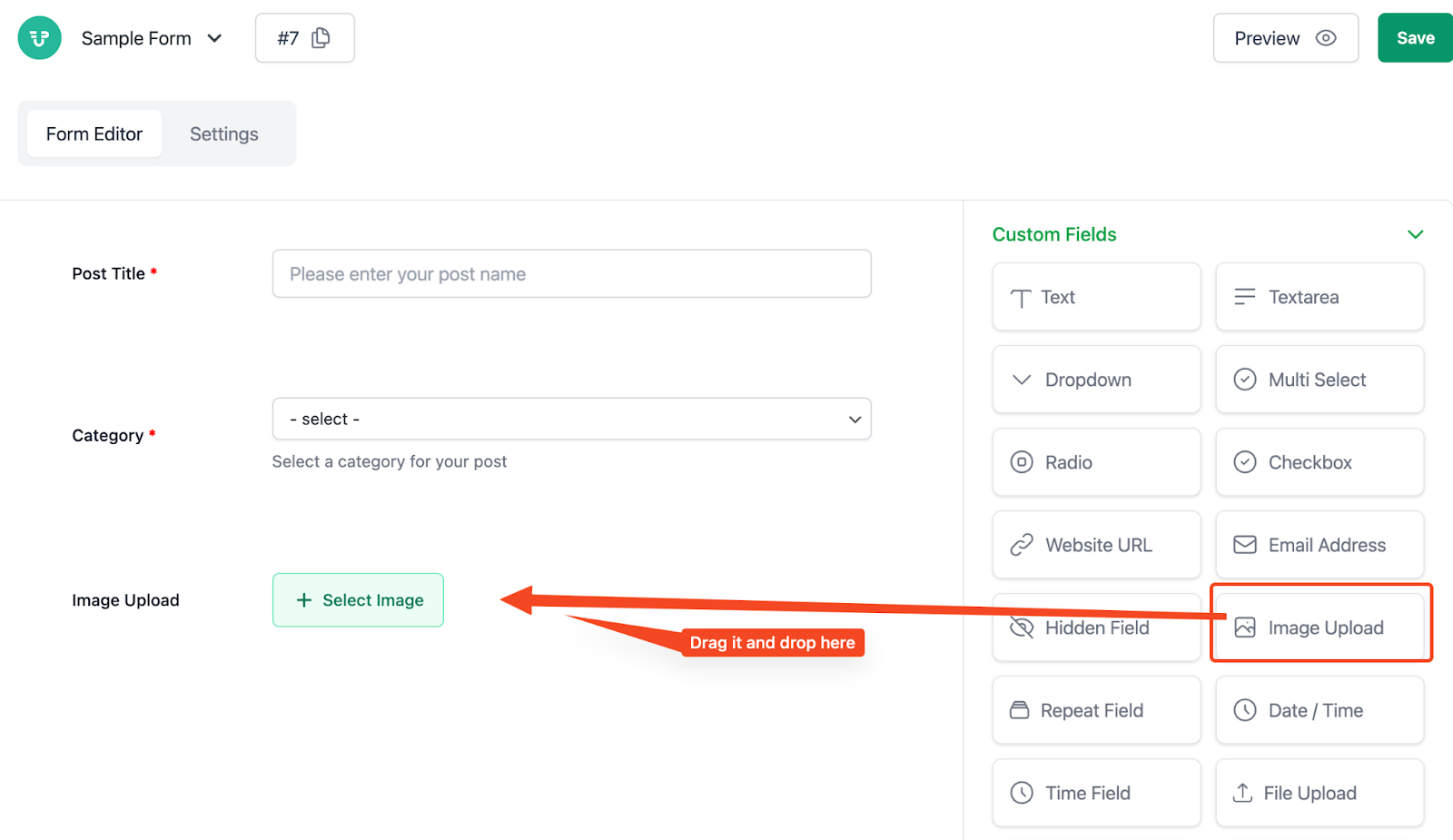
Then Drag and drop the “Image Upload” field from “Custom Fields”
Then, place the cursor over the Image Upload field and click on edit
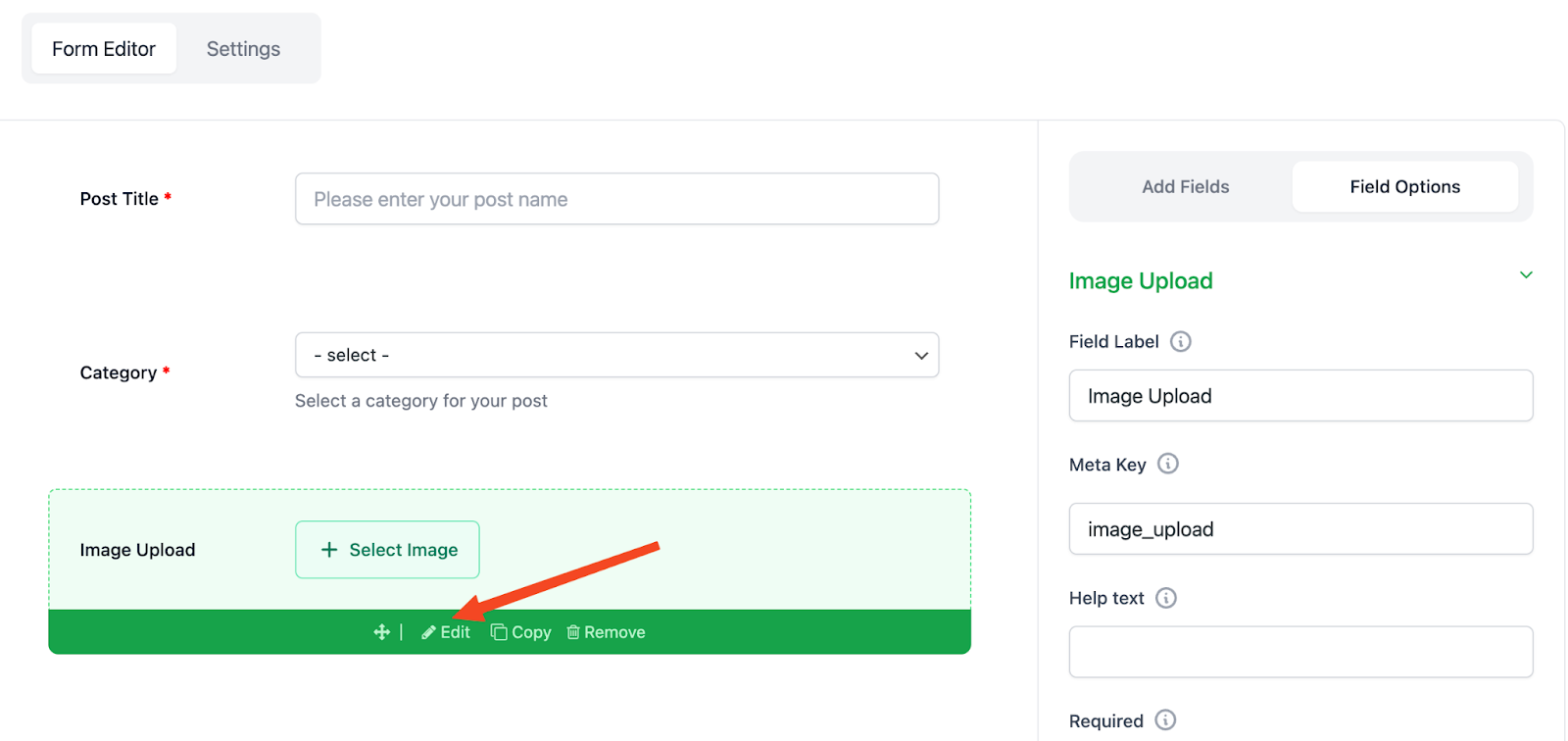
Now, click on the edit icon to get options to customize the button label
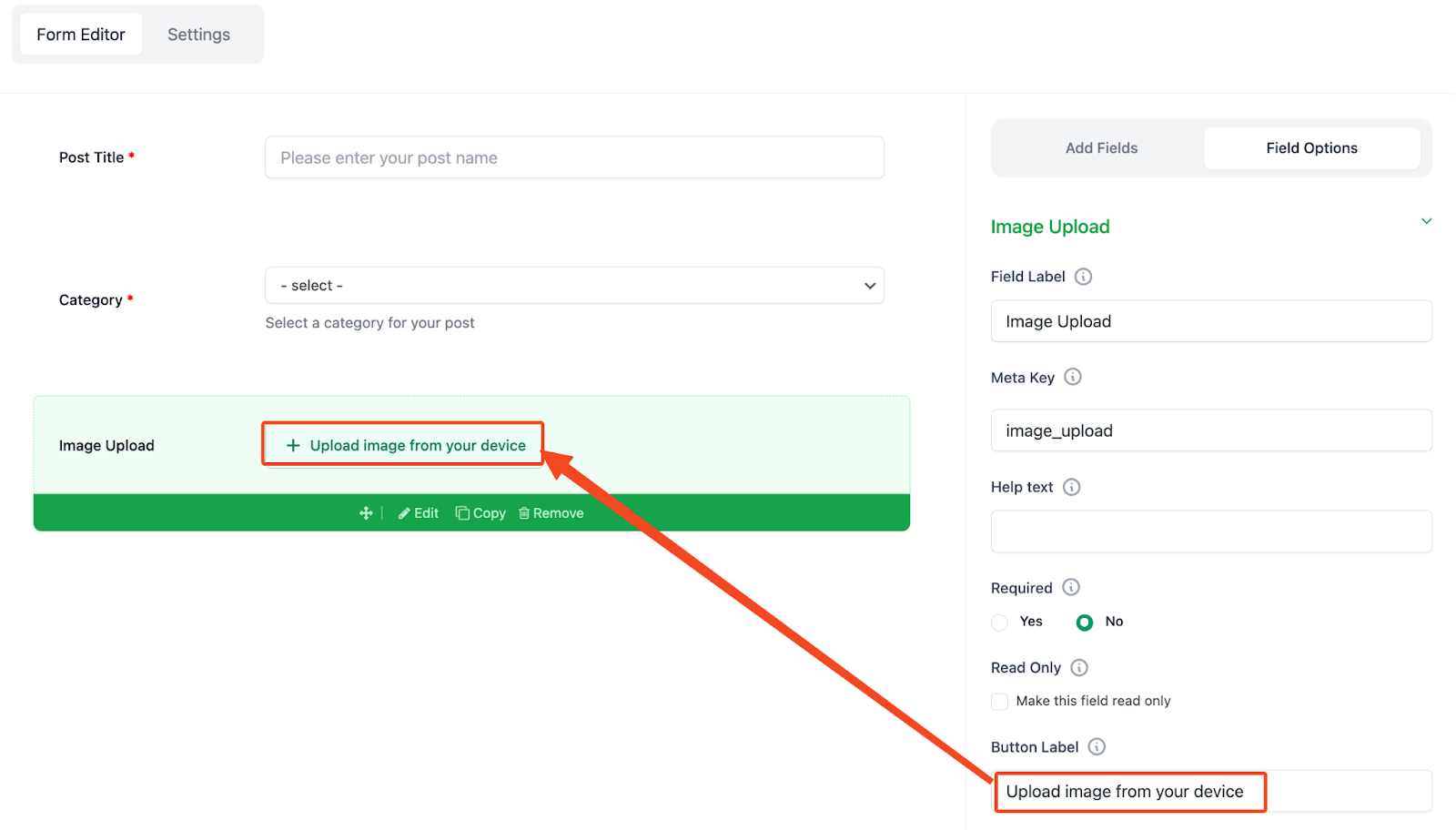
After customizing the button label, hit the “Save” button and keep the changes that you made.
Preview from The Frontend
Section titled “Preview from The Frontend”Click the preview form button to see what your visitors will be able to see from the frontend
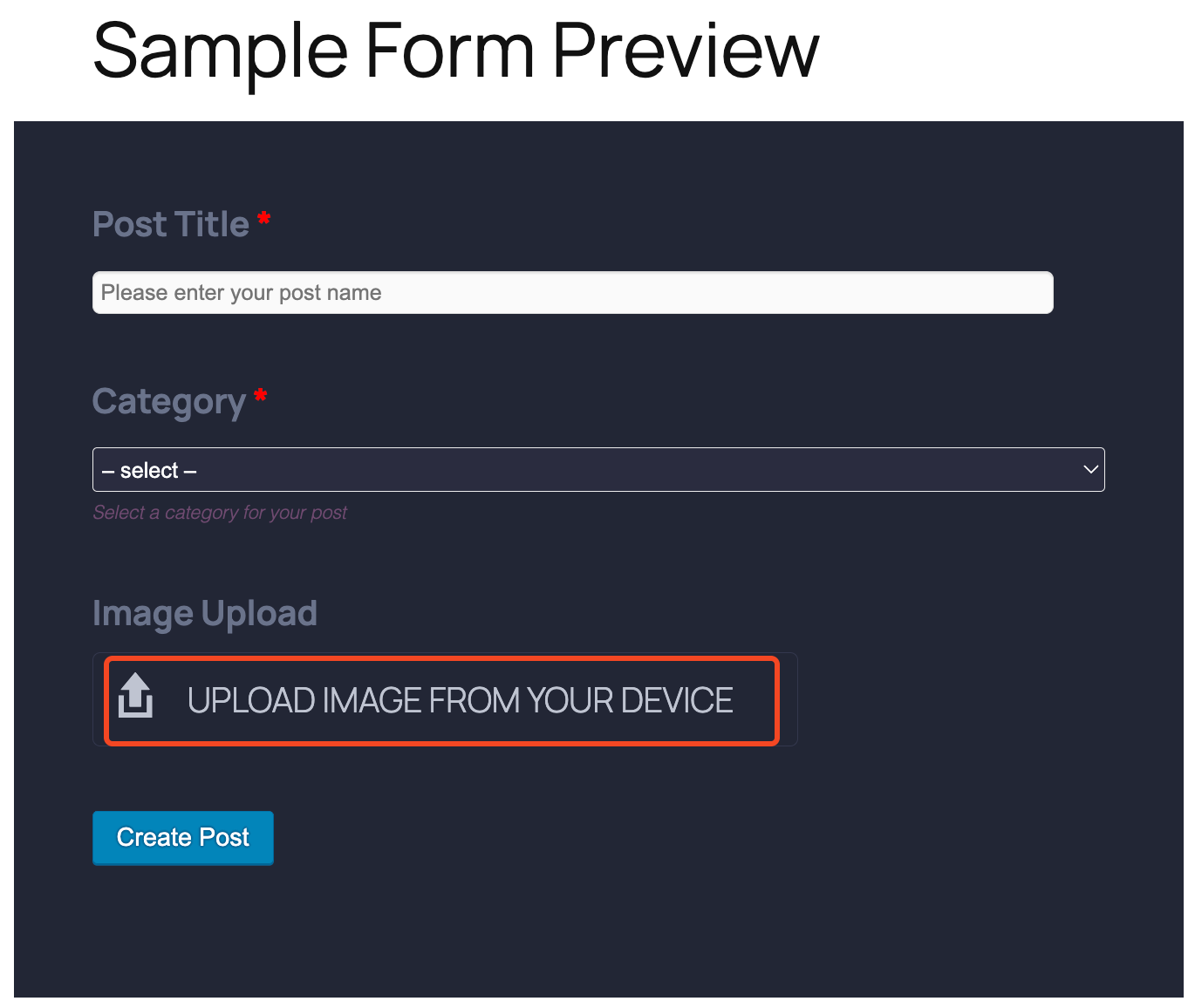
This is how you can edit the button label for the “Image Upload” field.