

WooCommerce Conversion Tracking Settings
You can limit or give access to WooCommerce Conversion Tracking in accordance with your preferred users or based on their roles. Out of the box when you install the plugin, you will get 6 types of user roles in the Settings tab. They are:
- Editor
- Author
- Contributor
- Subscriber
- Customer
- Shop manager
How to Get and Set the User Roles?
Section titled “How to Get and Set the User Roles?”Navigate to WP Admin Dashboard → WooCommerce → Conversion Tracking → Settings (tab).
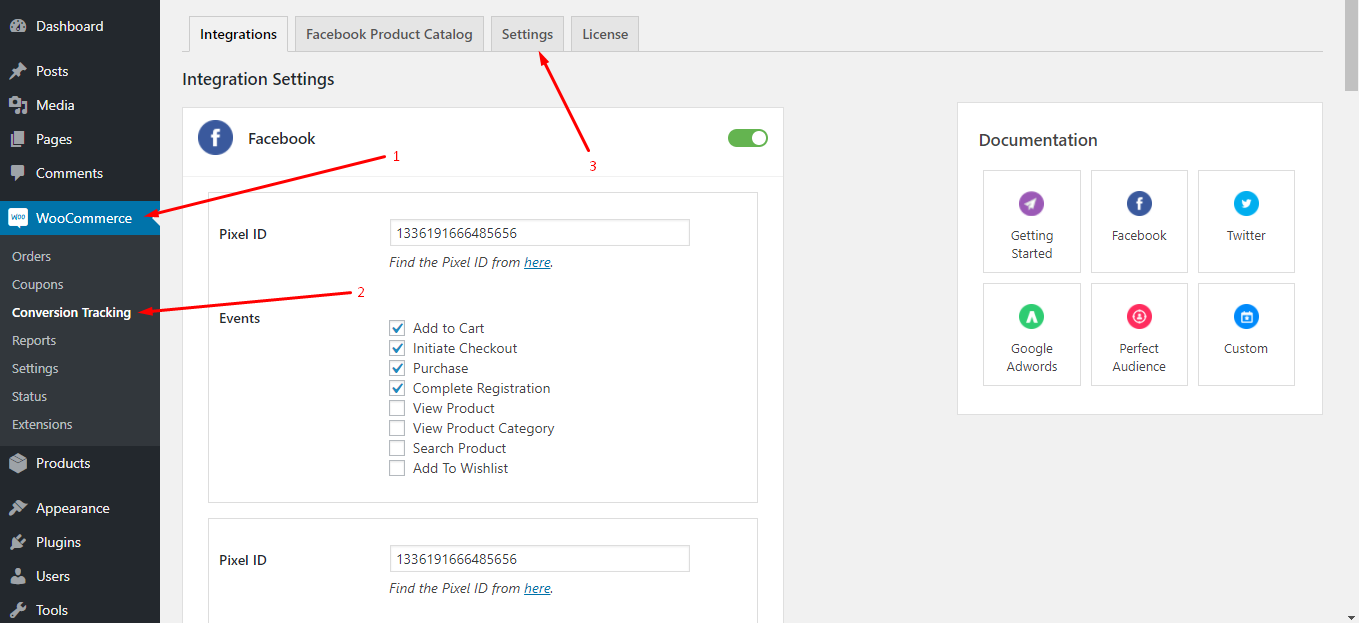
After that, you will find the following screen including the user roles:
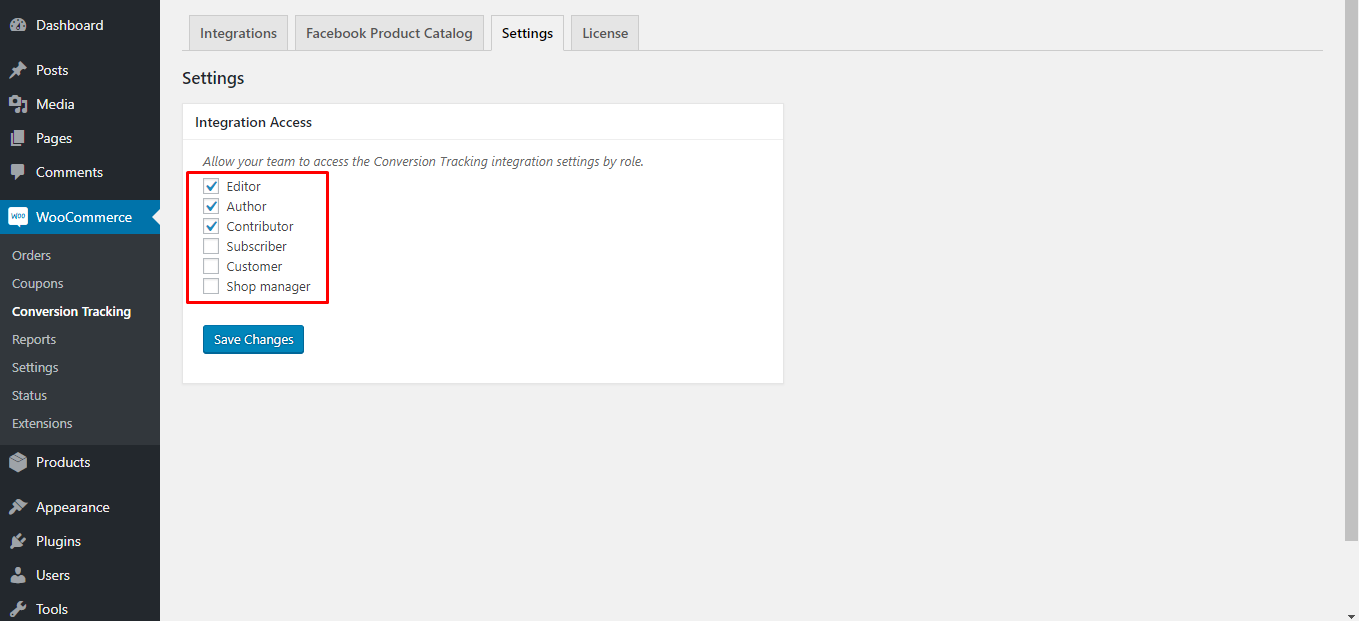
From here, you can select user roles at your disposal by checking the boxes. You can see we have selected Editor, Author, Contributor in the above screenshot. Any checked user will be able to access the Conversion Tracking Integrations option.
Note: 1
Section titled “Note: 1”CheckedUsers having the administrative role will find the Conversion Tracking plugin within WooCommerce menu items. However, checked users who don't have the administrative role will find the Conversion Tracking within Tools menu items.
Note: 2
Section titled “Note: 2”Checked Users who don't have administrative role won't see the Settings and License tabs. However, by default, they are allowed to see the Integrations and Facebook Product Catalog tabs.