Your writers submit, edit, and manage posts on a page you design, so nobody needs a dashboard login to publish.
Turn Readers into Writers with Frontend Posting
Six reasons site owners hand publishing to their users instead of handing out logins.
Skip the Dashboard
Writers never need wp-admin, so you can keep their user role as low as you like.
Faster Setup
One click installs the pages you need, and your first form takes minutes.
More Content, Less Chasing
Readers who would never ask for a login will still send you posts.
Familiar Editing
Writers work in a form on your own page, not a strange admin screen.
Works with Your Builder
Use the Gutenberg Post Form block or the Elementor Post Form Builder widget.
Forms You Control
Drag fields where you want them and preview each change as you make it.
Build Post Forms for Any Content Type
Drag the fields you need onto the form, then place it anywhere on your site.
Drag-and-Drop Builder
Add title, content, excerpt, tags, image, and taxonomy fields, then preview as you edit.
Any Post Type
One form can create posts, pages, events, listings, or any custom post type.
Guest Submissions
Visitors post without an account, and email verification keeps the fake ones out.
Control Who Posts and How Often
Role rules decide who even sees the form. Form scheduling closes it on a date you pick, and entry limits cap how many posts come in.
Let Writers Manage Posts After They Submit
Most form plugins stop at the submit button, while frontend posting hands users the rest of the job.
Post Dashboard
One page lists every post a user has sent, with its current status.
Frontend Editing
Authors reopen their own post and fix it without an admin ever stepping in.
Status Control
Set new posts to pending, then publish them once you have read through.
Many Post Types
The dashboard can list events, listings, or any other type you turn on.
Delete Rights
Users can delete their own posts from the frontend dashboard.
Custom Redirects
Send people to a thank you page after they log in, submit, or edit.
See Where Frontend Posting Works Best
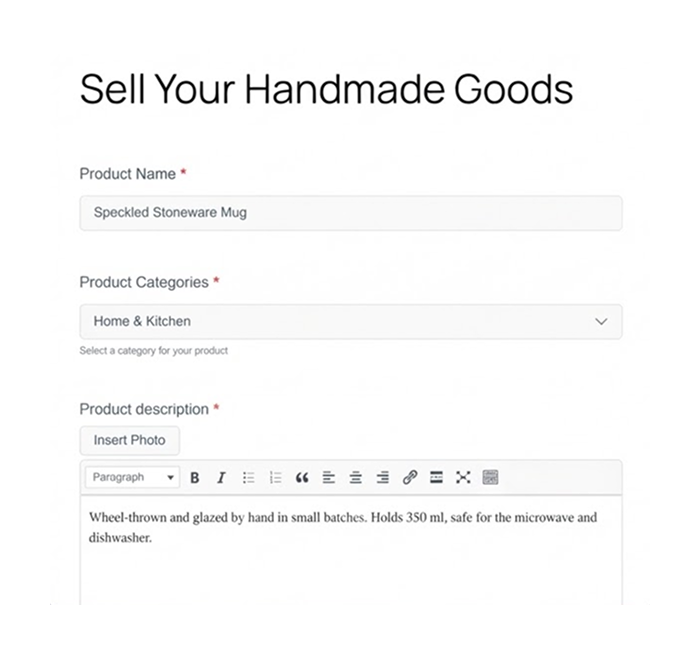
Five kinds of site that run on content their own users write.
Frequently Asked Questions
The questions that reach support most often, with the short version of each answer.
Do contributors need a WordPress account?
Can users edit a post after submitting it?
[wpuf_edit] shortcode, and authors reach it from their dashboard. They can only open posts they wrote, so nobody edits someone else's work.Does submitted content go live right away?
Can I use custom post types?
How do I stop spam submissions?
Can I charge people to post?
Why does the edit page say invalid post ID?
Do I need to know code?
[wpuf_form id="123"] or adding the Post Form block. Nothing here needs a developer.Start Frontend Posting with WP User Frontend
Install the free plugin, build your first post form, and let your users write.