

Connect your WooCommerce site with the best in the game Ad Platforms out there. Send user-triggered events from your eCommerce store instantly to your chosen ads platform. Retargeting is now as simple as ABC!
Get Started Now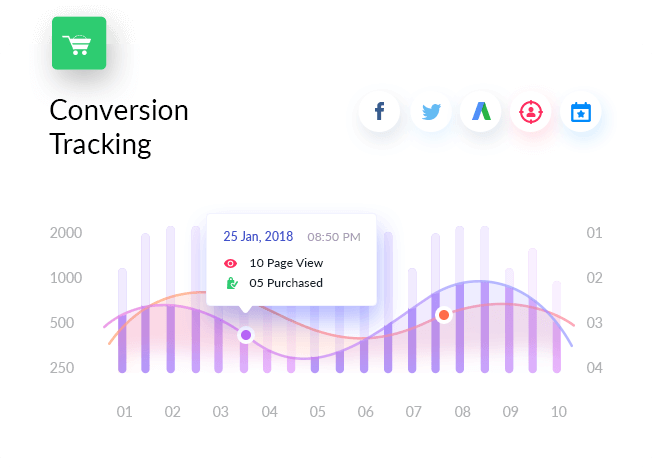
50,000+
eCommerce Businesses
356,339+
Downloads
20+
Conversion Events
Advanced WooCommerce Conversion Data For Better Targeting
Send users data who viewed your products, added to cart, searched, purchased and registered, to your Facebook Ads so you can get the most out of your ROI when you remarket to them. Also, add multiple pixels and create product catalog when required.
→ More Info
With our advanced conversion tracking integrating with Twitter Ads you will be able to measure your events consisting products that have been added to the cart, successful purchases, registrations and much more.
→ More Info
Google AdWords
Add your Google Adwords Account ID and send your purchase events along with purchase labels, to Google’s own platform. Get better ideas on making the most out of your Paid Ads by targeting the right people.
→ More Info
Perfect Audience
Want to have the best retargeting results ever? With our integration with Perfect Audience now you can target customers who hold more potential to skyrocket your eCommerce business.
→ More Info
Microsoft Advertising
The easiest way to connect your WooCommerce store with Bing Ads. Send your conversion data to this Microsoft Advertising platform to create a better target audience.
→ More Info
Custom Platforms
Don’t want to be restricted to these platforms alone? Have something you already use? Connect the platform of your choice with JavaScript tracking scripts feature!
How It Works

User Visits/Interact With
Your WooCommerce Store

Triggers An
Specific Event

Sends Conversion Data To
Selected Ad Platform

Retarget From
Selected Platforms

Best Used For
WooCommerce Conversion Tracking helps you the most for
- Obtaining Advanced User Behavioral Data
- Tracking your WooCommerce Business better
- Getting Detailed Conversion Data For Analytics
- Creating Better Ad Campaigns
- Increasing ROI From All Paid Media Investments
- Securing Better Customer Retargeting For Future Marketing Efforts
Benefits You Get
Advanced Conversion Tracking
For Your Store
Ability To Connect Multiple Ad
Platforms
Track Trigger Based
Events
Fine Tuned Audience
Retargeting
Facebook Multiple Pixel &
Product Catalog
Quick & Easy Step by Step
Installation
Option To Submit Values To Connected Sites Even Using Custom Parameters
Saves You Valuable Time From All The Custom Coding You Would Have Needed
Allow Your Team To Access The Conversion Tracking Integration Settings By Role.
FAQ
Didn't find a feature you need?
Have a question you need answered before purchasing?
Check out our FAQ section to see if we can help.
How to Setup Conversion pixels for WooCommerce store?
For more details, check our detailed documentations.
Can I use the plugin for Custom / additional Conversions or event?
Do I have to manually add the events for WooCommerce?
Do I need to touch any code to add Conversion pixels for WooCommerce?
I’m confused and have more queries, where I can get support or feedback?

Still Confused?
We would love to serve you in the best possible.
Feel free to contact us!